

1.4.0 - Data, Toml Configs & Shortcuts
Went off again on a mystical adventure to explore other programming languages, wanted to build a compiler but decided that was a bit much. Discovered Odin instead, maybe those experiments might make it here one day but I was getting to the point where I wanted to tie it back into rsps and so I met half way by writing my own TOML parser.
For those who don't recall pretty much all of voids data is stored in YAML files, a clean indention based superset of json, it has some nice features but at some point the libraries out there were just too slow for me so I wrote my own in Jun 2023. Now some of the config files are getting closer to 5MB they are getting a bit unwieldy so it was about time to spruce things up a bit.
TOML like YAML is a mark up language that instead aims for minimalism and to be easy to read and write, instead of indenting it favours a flatter vertical style. TOML not being as popular as YAML or JSON, doesn't have as many well maintained libraries so I decided just to write my own from the beginning.
A few weeks of effort and 4 versions later I had something I was happy with but there was another problem. In building a parser that follows the spec 100% I uncovered that TOML isn't as minimalistic or easy as it appears on the surface and has some rather complex and weird behaviours, like:
- Native dates & times which follow a flexible version of rfc3339 rather than say ISO 8601
- Allowing multi-lined arrays but not multi-lined maps
- Struggles with representing long named, repetitive or nested data
But the main issue with TOML is... it's pretty dead. Some of these issues were resolved and included in the draft for TOML v1.1 however that was due to be released in 2022... At the time I was looking the GitHub had been inactive for over a year, although I see today that there's been some recent activity towards the end of march so hopefully things improve but I decided not to wait on it.
So you guessed it... I wrote my own markup language too. I started with .ini files, borrowed the core parts from TOML, and a better way of nesting with [.subtitles]. I've tongue in cheek called it Gregs Really Obvious Minimal Language (GROML) but I still use the .toml file ending for highlighting. It's super fast and a bit of a different approach than a typical library, I converted all of the YAML data into this format and split it up into groups of files to manage it a bit better (this took way longer than expected, thanks to jarry for some help).
It's practically speaking identical to TOML just a bit more opinionated.
YAML:
- id: mind_altar_portal
  option: Enter
  tile:
    x: 2793
    y: 4827
  to:
    x: 2984
    y: 3516
INI:
[mind_altar_portal]
option = "Enter"
tile = { x = 2793, y = 4827 }
to = { x = 2984, y = 3516 }
YAML:
opal_bronze_bolts:
  skill: fletching
  level: 11
  xp: 16.0
  remove:
    - item: bronze_bolts
      amount: 10
    - item: opal_bolt_tips
      amount: 10
  add:
    - item: opal_bolts
      amount: 10
  maximum: 10
  message: "You fletch 10 bolts."
  question: "How many set of 10 would you like to tip?"
INI:
[opal_bronze_bolts]
skill = "fletching"
level = 11
xp = 16.0
remove = [{ id = "bronze_bolts", amount = 10 }, { id = "opal_bolt_tips", amount = 10 }]
add = [{ id = "opal_bolts", amount = 10 }]
maximum = 10
message = "You fletch 10 bolts."
question = "How many set of 10 would you like to tip?"
Unfortunately no performance numbers this time, the speed is essentially as fast as the OS takes to read a file so all you end up measuring is the OS file caching.
On startup it chews through a few thousand toml files in no noticeable amount of time.
I also used this opportunity to tidy up a lot of the config file formats and handlers making things easier and faster. The files themselves are organised with .anim.toml, .npcs.toml, .objs.toml, .drops.toml etc... to identify type and then organised into directories by content type in essentially the same structure as the kotlin scripts. I'm still not 100% sold on this and it might be worth moving them in together at some point but the separate nature of config files being able to modify and live reload them I have left them external from source code for now.
After that I went back to finishing up the core content for Agility, added monkey greegree transforming along side the Ape Atoll agility course.
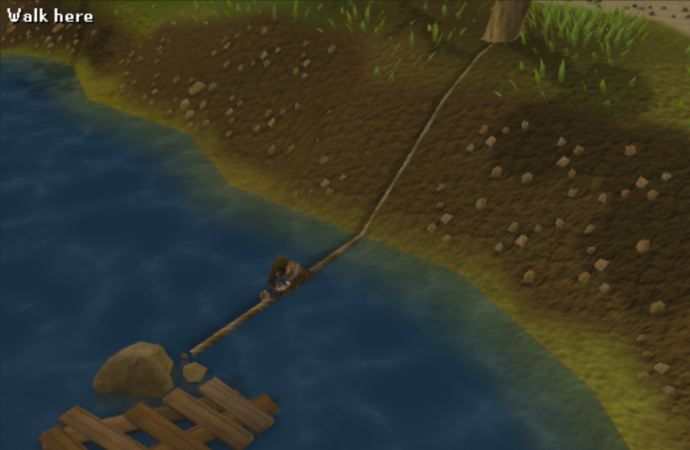
Then added the first 25-30 shortcuts around the world, pipes, logs, vines, grapples, etc... everything up to level 40. I think that's plenty to mark agility as done for now.
Some core changes to how npcs and floor item spawns were handled along with simplifying and tidying up fore core handler systems and removing some convoluted legacy event prioritising/overriding and general dependency between content scripts and a cutscene class to make handling them easier too.
